

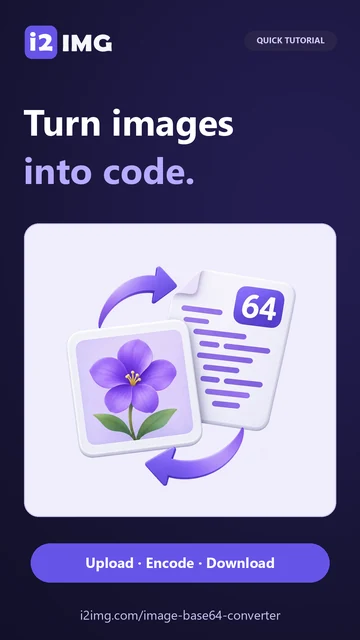
Follow this worked example, then adapt the same controls to your own image. Open Image to Base64 Converter.
Select an image and preview its identity
Open Image to Base64 Converter. Select an image or Try a sample. The example uses the 512 × 512 pixel favicon-orbit.png, which contains 202,491 bytes. The editor shows the image above its code so you can confirm that you selected the intended asset.
PNG, JPG, WebP, GIF, BMP and AVIF are supported when your browser can decode them for preview. The maximum file size is 25 MB, with limits of 60 megapixels and 16,000 pixels per side. SVG markup is not accepted by this raster converter.
The tool reads the original file bytes. It does not use the preview to rebuild the image, resize it or recompress it. Existing metadata and GIF animation are therefore retained in the encoded data.
Before encoding, use Resize Image or Image Compressor if you need a smaller asset. Base64 itself does not reduce image size.
Choose the representation your project expects
Open Settings and select HTML image under Code format for this example. The result is an img tag containing a Base64 data URL. The alt attribute is initially empty; write useful alternative text when the image communicates information.
Data URL starts with a prefix such as data:image/png;base64, followed by the encoded data. Plain Base64 contains only the data. CSS background wraps the data URL in a background-image declaration. These representations serve different destinations, so copy the form requested by your application rather than changing only the filename.
The code panel updates immediately after you change Code format. The copy icon copies the current representation and gives the shared copied confirmation. When clipboard access is blocked, the code is selected for manual copying.
A complete HTML img tag is not the same thing as a data URL. Use only the src value when a field asks for a URL.
The example in this guide
Try a sample: favicon-orbit.png, 512 × 512 px, 202,491 bytes. Choose HTML image under Code format. Select Start and download favicon-orbit-base64.txt.
- Original PNG
- 512 × 512 px · 202,491 bytes
- HTML text output
- 270,029 bytes
- Encoding
- Original bytes; no recompression
Download the code and understand its size
Select Start, then Download. The example saves favicon-orbit-base64.txt containing HTML image code. Its 270,029 bytes are larger than the 202,491-byte source. The article comparison shows the actual beginning of the downloaded text, shortened only for readability.
Base64 typically converts three source bytes into four text characters, adding roughly one third before the small wrapper. Embedding a small icon can make a document self-contained, but placing large image strings inside HTML or CSS also enlarges that document and prevents the image from being cached as a separate file.
Encoding is not encryption. Anyone with the complete Base64 string can recover the underlying image. Treat the code with the same care as the source if it contains private information.
The truncated excerpt in this article is explanatory. Use the complete downloaded TXT or copy the full code from the tool.
Common questions
Will encoding reduce image quality?
No. Encoding preserves the original bytes. It does not resize, compress or redraw the image.
Why is the Base64 string larger than the image?
Base64 represents three input bytes using four text characters, so it normally adds about one third before a wrapper or prefix.
Are GIF animations preserved?
Encoding preserves the original GIF bytes, including animation. A preview may show a still frame while the encoded data retains all frames.
Is Base64 safe for secret images?
Base64 is not encryption. Keep the string private if the underlying image is private. The converter itself processes it locally in your browser.
Turn the right image into the right code.
Try a sample or use your own file, and review the result before sharing.